🖼️ Images in PDFs
JPEG and PNG images with alt text, bounding boxes, and aspect-preserving scaling.
Accessible Images
using ObviousPDF;
using ObviousPDF.Accessibility;
using ObviousPDF.Fonts;

var doc = new PdfDocument();
doc.Info.Title = "Images in PDFs";
doc.Language = "en-US";
doc.DisplayDocTitle = true;
var root = doc.EnableTaggedPdf();
var page = doc.AddPage();

var h1 = root.AddChild(StructureType.H1);
page.AddTaggedText(h1, "Working with Images", 72, 740,
    new PdfTextOptions { Font = StandardFont.HelveticaBold, FontSize = 20 });
var pIntro = root.AddChild(StructureType.P);
page.AddTaggedText(pIntro,
    "ObviousPDF supports JPEG and PNG with full accessibility.",
    72, 710, new PdfTextOptions { FontSize = 12 });

// To embed a real image:
// var img = PdfImage.FromFile("photo.jpg");
// page.AddImage(img, 72, 500, 228, 180);

// Placeholder for this example:
var figure = root.AddChild(StructureType.Figure,
    "Architecture diagram: system overview");
figure.BBox = new[] { 72.0, 480.0, 300.0, 680.0 };
page.BeginTaggedContent(figure);
page.FillRectangle(72, 480, 228, 180,
    new PdfDrawOptions { FillColor = PdfColor.FromRgb(0.9, 0.92, 0.95) });
page.DrawRectangle(72, 480, 228, 180);
page.AddText("[Image Placeholder]", 120, 565,
    new PdfTextOptions { Color = PdfColor.FromRgb(0.5, 0.5, 0.5), FontSize = 11 });
page.EndTaggedContent();

var pCode = root.AddChild(StructureType.P);
page.AddTaggedTextBlock(pCode, new[]
{
    "Code: var img = PdfImage.FromFile(\"photo.jpg\");",
    "      page.AddImage(img, 72, 500, 228, 180);"
}, 72, 440, new PdfTextOptions { Font = StandardFont.Courier, FontSize = 10 });

doc.Save("images.pdf");
Imports ObviousPDF
Imports ObviousPDF.Accessibility
Imports ObviousPDF.Fonts
Dim doc As New PdfDocument()
doc.Info.Title = "Images in PDFs"
doc.Language = "en-US"
doc.DisplayDocTitle = True
Dim root = doc.EnableTaggedPdf()
Dim page = doc.AddPage()
Dim h1 = root.AddChild(StructureType.H1)
page.AddTaggedText(h1, "Working with Images", 72, 740,
New PdfTextOptions With { .Font = StandardFont.HelveticaBold, .FontSize = 20 })
Dim pIntro = root.AddChild(StructureType.P)
page.AddTaggedText(pIntro,
"ObviousPDF supports JPEG and PNG with full accessibility.",
72, 710, New PdfTextOptions With { .FontSize = 12 })
' Placeholder for this example:
Dim figure = root.AddChild(StructureType.Figure,
"Architecture diagram: system overview")
figure.BBox = New Double() {72.0, 480.0, 300.0, 680.0}
page.BeginTaggedContent(figure)
page.FillRectangle(72, 480, 228, 180,
New PdfDrawOptions With { .FillColor = PdfColor.FromRgb(0.9, 0.92, 0.95) })
page.DrawRectangle(72, 480, 228, 180)
page.AddText("[Image Placeholder]", 120, 565,
New PdfTextOptions With { .Color = PdfColor.FromRgb(0.5, 0.5, 0.5), .FontSize = 11 })
page.EndTaggedContent()
Dim pCode = root.AddChild(StructureType.P)
page.AddTaggedTextBlock(pCode, New String() {
"Dim img = PdfImage.FromFile(""photo.jpg"")",
"page.AddImage(img, 72, 500, 228, 180)"
}, 72, 440, New PdfTextOptions With { .Font = StandardFont.Courier, .FontSize = 10 })
doc.Save("images.pdf")open ObviousPDF
open ObviousPDF.Accessibility
open ObviousPDF.Fonts
let doc = PdfDocument()
doc.Info.Title <- "Images in PDFs"
doc.Language <- "en-US"
doc.DisplayDocTitle <- true
let root = doc.EnableTaggedPdf()
let page = doc.AddPage()
let h1 = root.AddChild(StructureType.H1)
page.AddTaggedText(h1, "Working with Images", 72.0, 740.0,
PdfTextOptions(Font = StandardFont.HelveticaBold, FontSize = 20.0))
let pIntro = root.AddChild(StructureType.P)
page.AddTaggedText(pIntro,
"ObviousPDF supports JPEG and PNG with full accessibility.",
72.0, 710.0, PdfTextOptions(FontSize = 12.0))
// Placeholder for this example:
let figure = root.AddChild(StructureType.Figure,
"Architecture diagram: system overview")
figure.BBox <- [| 72.0; 480.0; 300.0; 680.0 |]
page.BeginTaggedContent(figure)
let fillO = PdfDrawOptions()
fillO.FillColor <- PdfColor.FromRgb(0.9, 0.92, 0.95)
page.FillRectangle(72.0, 480.0, 228.0, 180.0, fillO)
page.DrawRectangle(72.0, 480.0, 228.0, 180.0)
let phO = PdfTextOptions(FontSize = 11.0)
phO.Color <- PdfColor.FromRgb(0.5, 0.5, 0.5)
page.AddText("[Image Placeholder]", 120.0, 565.0, phO)
page.EndTaggedContent()
let pCode = root.AddChild(StructureType.P)
page.AddTaggedTextBlock(pCode, [|
"let img = PdfImage.FromFile(\"photo.jpg\")"
"page.AddImage(img, 72.0, 500.0, 228.0, 180.0)"
|], 72.0, 440.0, PdfTextOptions(Font = StandardFont.Courier, FontSize = 10.0))
doc.Save("images.pdf")Add-Type -Path "ObviousPDF.dll"
$doc = [ObviousPDF.PdfDocument]::new()
$doc.Info.Title = "Images"
$doc.Language = "en-US"
$doc.DisplayDocTitle = $true
$root = $doc.EnableTaggedPdf()
$page = $doc.AddPage()
# Load image from file
$image = [ObviousPDF.PdfImage]::FromFile("photo.jpg")
# Create figure structure with alt text
$figure = $root.AddChild(
[ObviousPDF.Accessibility.StructureType]::Figure,
"Company logo on blue background")
# REQUIRED for PDF/UA: bounding box
$figure.BBox = @(72.0, 500.0, 300.0, 680.0)
# Tag the image content
$page.BeginTaggedContent($figure)
$page.AddImage($image, 72, 500, 228, 180)
$page.EndTaggedContent()
# Scale to fit preserving aspect ratio
$photo = [ObviousPDF.PdfImage]::FromFile("landscape.jpg")
$photoFig = $root.AddChild(
[ObviousPDF.Accessibility.StructureType]::Figure,
"Sunset over the ocean")
$photoFig.BBox = @(72.0, 250.0, 472.0, 450.0)
$page.BeginTaggedContent($photoFig)
$page.AddImageScaled($photo, 72, 250, 400, 200)
$page.EndTaggedContent()
$doc.Save("c:\temp\images.pdf")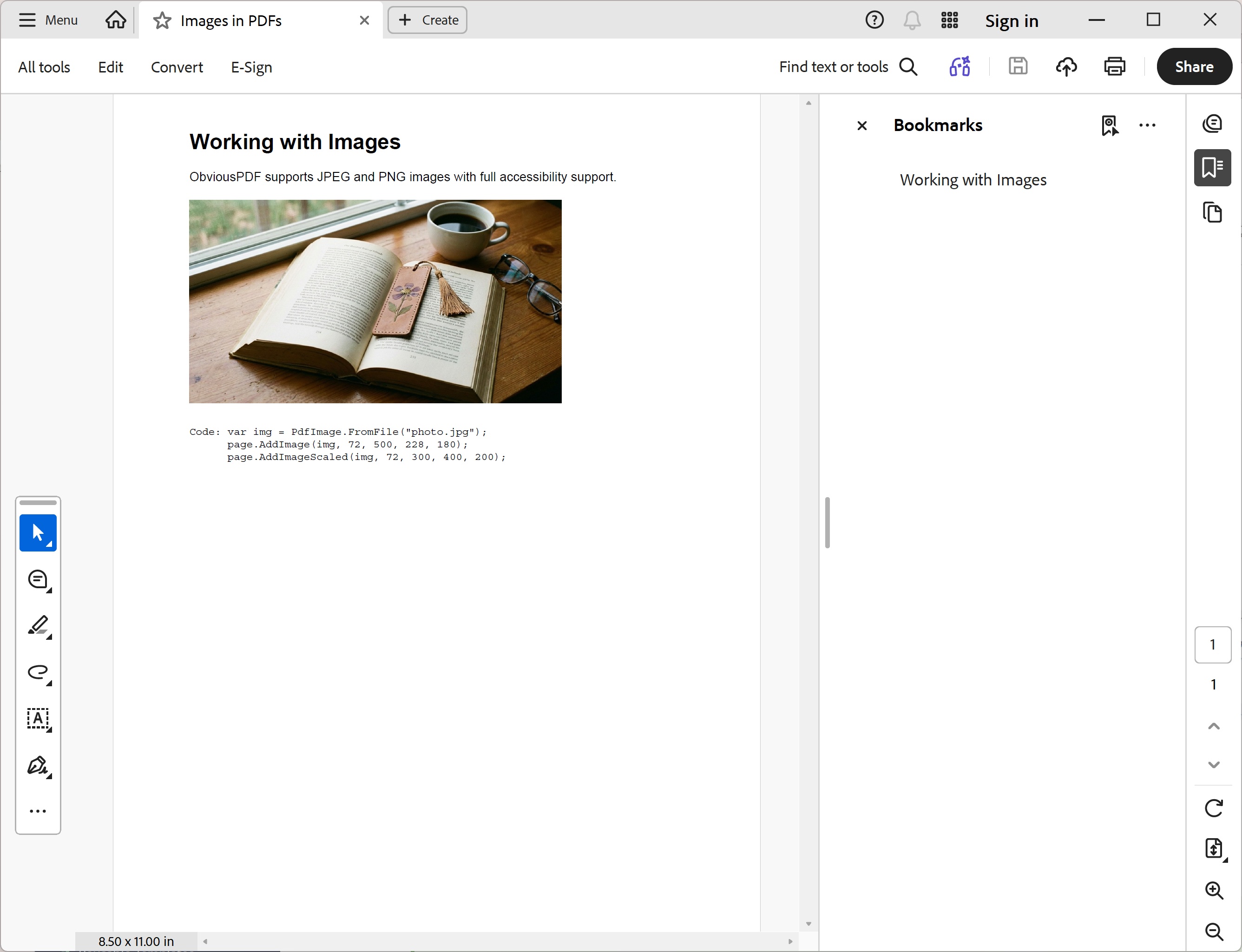
You should see a bold "Working with Images" heading, a short introduction paragraph, and a light blue-grey filled rectangle (228 × 180 pt) with a thin grey border representing an image placeholder. Below it, three lines of Courier code show the API calls needed to embed a real JPEG or PNG.
File: 09_images.pdf
Supported Formats
| Format | Method | Notes |
|---|---|---|
| JPEG | PdfImage.FromFile("photo.jpg") | DCTDecode passthrough — no re-encoding |
| PNG | PdfImage.FromFile("logo.png") | Deconstructed with row filters, alpha → SMask |
| Stream | PdfImage.FromStream(stream) | Any seekable stream |
| Bytes | PdfImage.FromBytes(data) | In-memory byte array |